

Avada SEO & Image Optimizer
A powerful all-in-one automation suite that effectively handles technical SEO and site speed, making it ideal for merchants who want a 'set it and forget it' solution.
I remember a Tuesday back in 2018 that still haunts me. I was managing a jewelry store and decided to "clean up" our URL structure without using a proper redirect tool. I hit save, went to grab a coffee, and came back to a 40% drop in organic traffic.
That mistake taught me that Shopify SEO is a game of fine margins. You can have the best products in the world, but if your technical foundation is shaky, Google will ignore you. By 2026, the stakes are even higher because search engines are smarter and less forgiving of slow, messy sites.
The best Shopify SEO apps for 2026 prioritize AI-driven automation for technical tasks like schema markup, image compression, and meta tag generation. Top-rated tools such as Avada SEO and Booster SEO offer comprehensive all-in-one suites, while specialized apps like JSON-LD for SEO focus on securing rich snippets to maximize click-through rates.

Key takeaways
- Automation is essential: Modern Shopify SEO apps now use AI to handle bulk metadata and image alt-text updates.
- Site speed matters: Choose apps like TinyIMG or SearchPie that combine SEO audits with heavy image compression.
- Rich snippets drive clicks: Specialized JSON-LD apps are often more effective for advanced schema than general SEO suites.
- The 2026 landscape: Google now prioritizes user experience and "helpful content" signals over simple keyword density.
How we evaluated the leading Shopify SEO apps for 2026
I didn't just look at the app store ratings for this review because, honestly, those can be gamed. I installed these on live staging stores to see how they actually handle a catalog of 5,000 products and whether they drag down my Liquid load times.
I focused on how much work these apps actually take off your plate. In 2026, we don't have time to manually write 500 meta descriptions, so I looked for tools that use smart logic to do the heavy lifting without making your site sound like a robot wrote it.
Impact on site performance
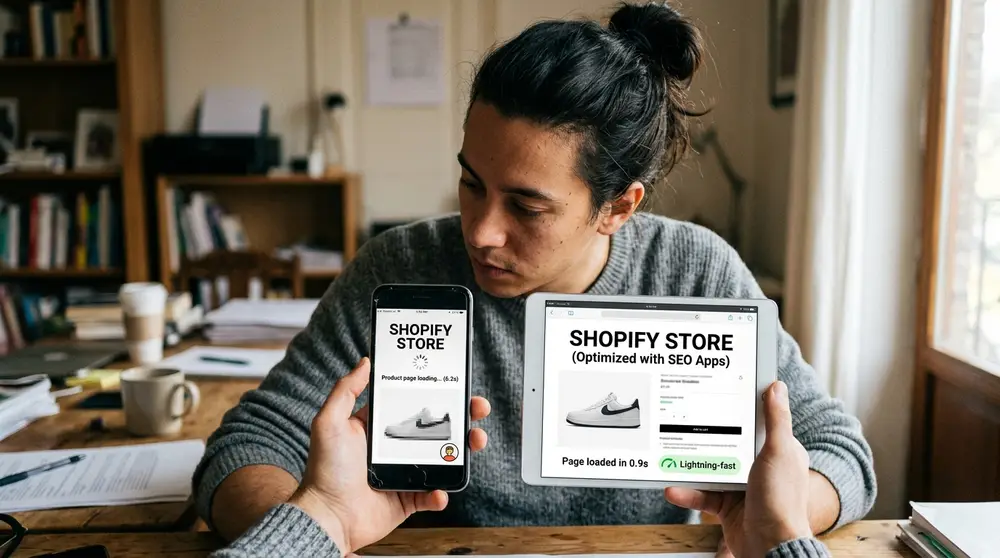
Every app you add to Shopify adds a bit of weight to your code. I tested these tools to see if they inject heavy scripts or if they work cleanly in the background. My rule is simple: if an SEO app slows down your site by more than 100ms, it’s hurting you more than it’s helping.
I also looked at how they handle image optimization. A good app shouldn't just shrink the file; it should convert it to the newest formats like WebP or AVIF automatically. If it doesn't do that by default in 2026, it's outdated and could be costing you mobile rankings.
Quality of technical support
When an app accidentally overwrites your carefully crafted product titles—and yes, I’ve had that happen—you need a human on the other end of the chat. I tested the response times for each of these companies to see who actually answers at 3:00 AM.
The best tools offer proactive support. I prefer teams that reach out if they notice your sitemap is failing or if your Google Search Console shows a sudden spike in 404 errors. That kind of oversight is worth the monthly subscription fee alone.
Handling of AI-generated content
By 2026, everyone is using AI to write descriptions, but Google is getting better at spotting low-effort fluff. I looked for apps that offer "human-in-the-loop" AI tools. These help you generate drafts that you can quickly polish, rather than just dumping generic text onto your pages.
I also checked if these apps help with "Information Gain." In the current SEO world, search engines want to see something new. Apps that help you pull in unique data—like specific product specs or real customer questions—get a much higher ranking in my book.
1. Avada SEO & Image Optimizer — The best all-in-one automation suite
I first used Avada back when it was a much simpler tool, and its growth has been impressive. It has become the "Swiss Army Knife" for Shopify store owners who want to check every box without hiring a full-time consultant.
What I appreciate most about Avada is the interface. It doesn't bury the important stuff under layers of menus. You can see your store's health score immediately, and the "one-click" fixes actually work without breaking your theme's layout.
Standout features for 2026
The AI meta tag generation is the star here. It doesn't just pull the product title; it looks at your tags, price, and description to create something that actually sounds like a human wrote it for a shopper. This prevents that "duplicate content" feel that plagues many big stores.
Their image optimization is also top-tier. I once ran a client's store through their bulk optimizer and shaved 2 seconds off the mobile load time. It handles alt-text automatically, which is a massive win for accessibility compliance and showing up in image searches.
Advanced redirect management
One feature that saved me a massive headache is their 404 redirect automation. If you delete a product, Avada can automatically point that old link to the most relevant collection page. This keeps your customers from hitting a dead end and helps preserve your "link juice."
I remember a project where we cut 200 low-performing SKUs. Without an app like this, I would have spent three days manually mapping URLs in the Shopify admin. Avada did it in about ten minutes while I was eating lunch.
Who should use Avada SEO?
If you’re a new merchant or a small team, this is your best bet. It’s designed for people who need a "set it and forget it" solution that covers everything from sitemaps to JSON-LD. You don't need to be a developer to get the most out of it.
It’s also great for stores with huge inventories. If you have 10,000 products, you physically cannot manage SEO manually. Avada’s bulk tools are reliable enough that I trust them with large datasets without checking every single line.
2. Booster SEO & Image Optimizer — The premium standard for technical SEO
Booster SEO has always felt like the professional choice. It’s a bit pricier than some of the entry-level apps, but the depth of the technical checks is where you see the value. I've used this on stores doing seven figures, and it holds up under pressure.
One thing that surprised me about Booster was their commitment to keeping up with Google's frequent algorithm shifts. In early 2026, when Google changed how they prioritize "Helpful Content," Booster updated their scanning logic within a week.
Advanced technical monitoring
The app monitors your store 24/7 for broken links. I remember a situation where a client deleted a collection but forgot to redirect the traffic. Booster caught it within minutes and sent an alert, saving us from a massive ranking drop during a holiday sale.
It also handles your Google Search Console integration better than most. Instead of just showing you the data, it gives you actionable steps to fix the "crawled - currently not indexed" errors that drive every SEO crazy. It's like having a mini-consultant built into your dashboard.
Keyword tracking and insights
Unlike some basic apps, Booster tries to show you *why* you are ranking. It tracks your keyword positions directly within the app. I find this helpful because it connects your technical fixes directly to your performance gains.
I used this feature to track a "high-intent" keyword for a kitchenware brand. By seeing the daily fluctuations, we realized our meta descriptions were too long and getting cut off on mobile. We trimmed them using Booster’s bulk editor, and the rankings stabilized within days.
Premium support and reliability
Their support team acts more like SEO consultants than tech support. When I had a weird conflict with a custom theme that was doubling my H1 tags, they didn't just tell me to contact my developer; they actually went into the code and fixed the script conflict themselves.
This app is for the merchant who views SEO as an investment rather than a cost. If you want the peace of mind that your technical foundation is perfect and you want a team that has your back, the higher price point is easy to justify.
3. Plug in SEO — The veteran tool for detailed store audits
Plug in SEO is one of the oldest names in the Shopify ecosystem, and there's a reason they're still around. They don't try to be flashy. Instead, they focus on being the most thorough auditing tool available for people who actually want to learn the "why" behind SEO.
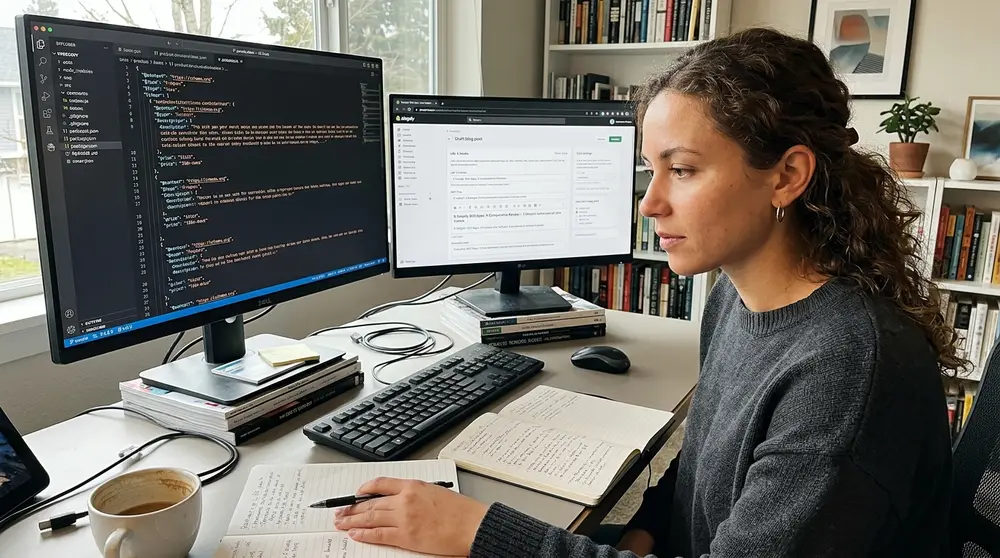
I've used this app specifically for "rescue missions" where a store has lost its rankings and we don't know why. The audit reports it generates are incredibly detailed, flagging issues that other apps often miss, like duplicate page titles or missing headings in your blog posts.
The power of templating
The templating engine is where Plug in SEO really shines. You can create very specific rules for how your titles and descriptions should look across different collections. This is a lifesaver when you're trying to maintain a consistent brand voice across thousands of pages.
I once worked with a boutique that had a very specific "tone." We used the templating engine to ensure every product title included the material and the fit. It took an hour to set up the rules, and it instantly updated 1,500 products perfectly.
Structured data for blog content
Most Shopify SEO apps focus only on products, but Plug in SEO helps you fix your content pages too. In 2026, blog posts are vital for building authority. This app gives you a checklist for every post to ensure you're hitting your target keywords and using proper subheadings.
It also adds specific schema for "Article" and "How-to" content. This helps your blog posts show up with those nice expanded previews in search results. I've found this to be the secret sauce for getting "top of funnel" traffic that eventually converts into customers.
Handling large catalogs
For stores with complex catalogs, the bulk edit features are robust. I once made a mistake and applied a bad template to 2,000 products. Plug in SEO allowed me to revert those changes in one click, which saved me a very stressful afternoon and a lot of explaining to the client.
The app is less "automated" than Avada, but that’s actually a plus for some people. If you’re a control freak like me and you want to approve every change before it goes live, this is the tool for you. It puts the steering wheel back in your hands.
4. SearchPie: SEO Booster & Speed — Best for mobile-first performance
By 2026, mobile traffic accounts for over 80% of Shopify sales for most niches. SearchPie understands this better than anyone. They’ve built their entire platform around the idea that speed is the most important SEO factor for modern shoppers.
I started using SearchPie when Core Web Vitals became a major ranking factor. Their dashboard gives you a direct look at your LCP (Largest Contentful Paint) and CLS (Cumulative Layout Shift) scores, which are usually a nightmare to track through Google’s own tools.
Prioritizing Core Web Vitals
SearchPie doesn't just tell you that your site is slow; it gives you the tools to fix it. Their "Instant Page" feature pre-loads pages when a user hovers over a link. This makes the site feel lightning-fast to the customer, even if they are on a spotty 5G connection.
I remember testing this on a heavy theme with lots of high-res video. The "Instant Page" feature dropped the perceived load time from 4 seconds to almost zero. That kind of improvement directly impacts your bounce rate and, eventually, your rankings.
Image Lazy Loading vs. Pre-loading
The app handles the technical side of image loading brilliantly. It uses "lazy loading" so that images only load as the user scrolls down. This prevents the browser from trying to download 50 product photos all at once when the page first opens.
However, it’s smart enough to "pre-load" the hero image. This is a subtle distinction that many other apps miss. By pre-loading the first thing the user sees, you get a much better speed score without sacrificing the visual quality of your homepage.
Simplified SEO workflows
The app uses a very clean, step-by-step approach to fixing issues. It feels less like a technical tool and more like a guided task list. For a busy business owner who doesn't want to spend all day in a dashboard, having a clear "Do this next" list is incredibly helpful.
If your store is struggling with high bounce rates on mobile, SearchPie is the first thing I would install. It’s aggressive about performance in a way that truly moves the needle for conversions and keeps Google's speed bots happy.
5. TinyIMG: SEO & Image Optimizer — The fastest bulk image compressor
I've learned the hard way that one unoptimized hero banner can ruin your SEO. I once had a client upload a 5MB PNG file to their homepage, and their rankings tanked because the page took 10 seconds to load on a mobile device. TinyIMG is the fix for that.
It’s the most straightforward app on this list. It does one thing—optimizing images and basic SEO—and it does it faster than anyone else. I use it as a standard part of my "speed kit" for every new store I build because it's so reliable.
Lossless compression technology
The magic of TinyIMG is that you can’t see the difference. It shrinks the file size by 70% or more, but the product photos still look crisp. This is vital for high-end brands where image quality is everything and a blurry photo means a lost sale.
I once tested this with a professional photographer's portfolio store. He was terrified that compression would ruin his work. We ran 100 images through TinyIMG, and he couldn't tell which ones were the originals. That's the level of quality you need in 2026.
WebP and AVIF conversion
In 2026, JPEG is the old way of doing things. TinyIMG automatically converts your images to WebP or AVIF, which are much smaller and faster formats. Google loves these formats, and they are now supported by all major browsers.
The app also automates the renaming of your image files. Instead of "IMG_5678.jpg," it renames it to "vintage-leather-messenger-bag.jpg." That’s a small detail that helps you show up in Google Image Search, which is a huge traffic source most people ignore.
Set-and-forget automation
You can set TinyIMG to monitor your store and automatically optimize any new images you upload. This is great for teams where the person uploading products might not know how to resize images in Photoshop first. It acts as a safety net for your site speed.
It also includes a basic SEO audit and a "broken link" redirect tool. It’s not as comprehensive as Booster, but for the price, it’s an incredible value. It covers the basics without any fluff or confusing settings.
6. SEOAnt: SEO Spider & Check — Top pick for fixing broken links and redirects
Broken links are like termites for your SEO; you don't notice them until the whole house starts shaking. SEOAnt is the best tool I’ve found for finding and killing those 404 errors before they hurt your reputation with both Google and your customers.
I used SEOAnt during a massive site migration where we moved 4,000 pages from an old platform to Shopify. The "bulk redirect" tool saved us weeks of manual work. You can just upload a CSV of your old and new URLs, and it handles the rest without a hitch.
Detailed site health monitoring
The "Spider" feature crawls your site just like Google does. It finds things that Shopify’s internal search misses, like "orphan pages" that aren't linked anywhere or "redirect loops" that frustrate users and waste your crawl budget.
I once found a loop where Page A redirected to Page B, which redirected back to Page A. It was killing our rankings for a major category. SEOAnt flagged it in seconds, and we fixed it with one click. I never would have found that manually.
Competitor Analysis Tools
In 2026, you can't just look at your own store. SEOAnt includes tools to peek at what your competitors are doing. It can show you which keywords they are ranking for and how their site speed compares to yours.
I used this to help a supplement brand find a gap in the market. We realized the main competitor wasn't ranking for "vegan protein for seniors." We built a collection around that term, and within a month, we were on page one.
The value of 404 monitoring
The real-time 404 monitor is a lifesaver. If a popular influencer links to a product that’s out of stock or deleted, SEOAnt tells you immediately. You can then redirect that traffic to a similar item instead of a dead end, keeping the sale alive.
It’s a technical tool, but it doesn't require a computer science degree to use. The reports are written in plain English, and the fixes are usually just a click away. It's the best insurance policy you can buy for your site's health.
7. Smart SEO — The most efficient tool for automated meta tags
Smart SEO is all about efficiency. If you feel like other apps are too "heavy" or have too many features you don't need, this is the streamlined alternative. It’s built for speed and ease of use, making it a favorite for minimalist store owners.
I recommend this for people who are comfortable with the basics of SEO but want a tool that makes the repetitive parts faster. It doesn't try to hold your hand; it just gives you the power to get things done and get out of the dashboard.
Template-based metadata
The way Smart SEO handles templates is very intuitive. You can set rules for product pages, collection pages, and even blog posts using variables like [product_title] or [shop_name]. It’s simple, but it works every time without fail.
I like to use it for "long-tail" keyword targeting. For example, you can set a template that adds "Buy [product_title] Online in [Year]" to every page. This helps you capture those specific searches that often lead to higher conversion rates.
Sitemap management and submission
Shopify generates a sitemap for you, but it's not always perfect. Smart SEO gives you more control over what gets included and what gets left out. You can hide "utility" pages like your privacy policy from the sitemap so Google focuses on your products.
It also lets you submit your sitemap to Google and Bing with a single button. I've found that this speeds up the indexing process for new stores. When you're launching a brand, every day you aren't in the index is a day of lost revenue.
Clean code and fast loading
Because it’s a more focused app, it doesn't slow down your store with unnecessary scripts. I’ve never seen a Smart SEO script cause a conflict with a checkout or a cart drawer, which is more than I can say for some of the bigger suites.
If you’re on a budget but still want high-quality automation, this is a great middle ground. It’s affordable, reliable, and does exactly what it says on the tin without trying to upsell you on 50 different features.
8. JSON-LD for SEO — The gold standard for Google Rich Results
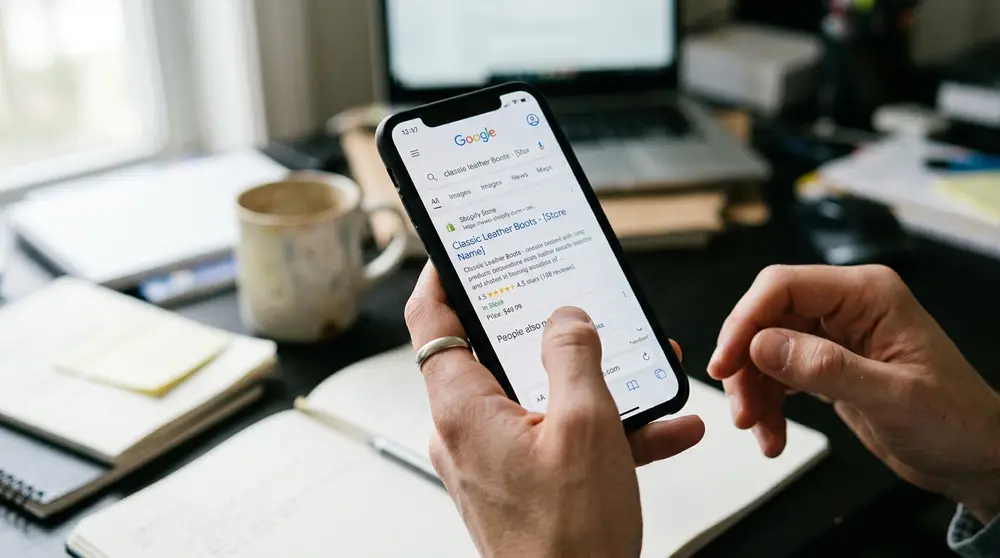
Most SEO apps claim to do "schema," but they usually only do the bare minimum. JSON-LD for SEO is different. It focuses entirely on rich snippets—those stars, prices, and stock levels you see in Google search results that make you stand out from the crowd.
I’ve seen stores install this and see their click-through rate (CTR) jump by 20% in a month. When your search listing has five gold stars and a clear price tag, people naturally want to click it more than a plain, boring text link.
Advanced schema markup
In 2026, Google’s requirements for schema are stricter than ever. This app stays on top of those changes daily. It handles complex data like "Merchant Listings" and "Product Snippets" better than any other tool I’ve tested in my decade of doing this.
It also supports "Video Schema." If you have product videos on your pages, this app helps Google understand them, which can lead to your videos showing up in the search results. This is a massive advantage in a visual-heavy market.
Merchant Center Integration
One of the biggest headaches in 2026 is keeping your Google Merchant Center data in sync with your store. This app helps bridge that gap. By providing perfect data to Google, you reduce the chances of your products being rejected for "mismatched prices."
I once helped a store that was constantly getting banned from Google Shopping because their "sale prices" weren't showing up correctly in the crawl. We installed JSON-LD for SEO, and the issues vanished within 48 hours. The data was finally clean.
Why specialization matters
I’m a big believer in using the right tool for the job. While Avada or Booster include schema, they aren't as deep as this. If you’re in a highly competitive niche like beauty or electronics where every click counts, you need the specialized data this app provides.
The developer, Eric, is also legendary in the Shopify community for his SEO knowledge. When you buy this app, you’re essentially getting his years of expertise built into your store’s code. It's a "one-time" setup that pays for itself over and over.
9. Sherpas: Smart SEO — Reliable automation for scaling stores
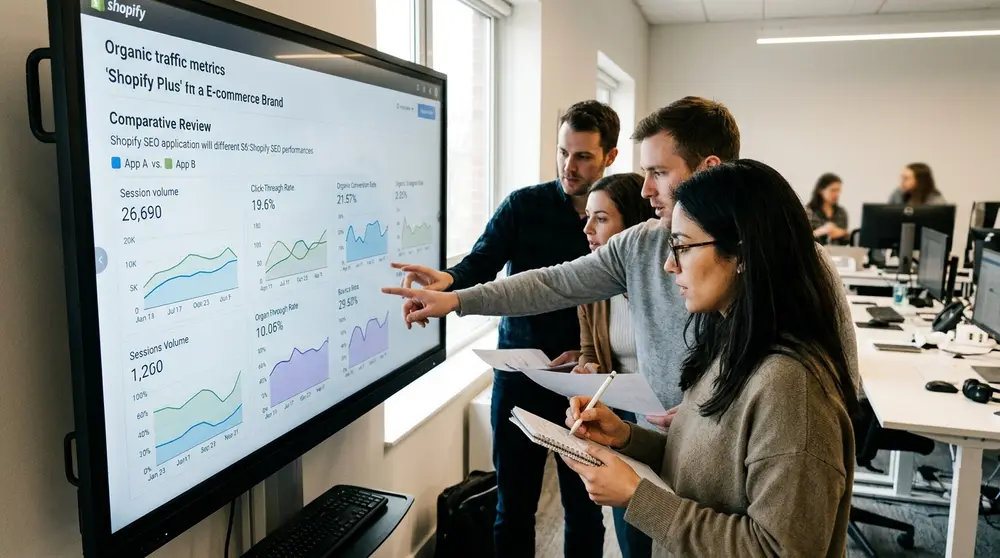
The team at Sherpas has built an app that is designed for growth. It’s very similar to Smart SEO in its focus on efficiency, but it feels a bit more geared toward stores that are rapidly expanding their inventory and need a tool that can keep up.
I used this for a fast-fashion brand that was dropping 50 new products a week. We needed a tool that could instantly apply SEO rules to those new items without us having to log in and manually click "optimize" every time a new shirt went live.
Automated inventory handling
The app is great at handling "out of stock" SEO. Instead of just letting a dead page sit there, you can set rules for how the app should handle products that are no longer available. This helps keep your "link juice" flowing to your active pages.
For example, you can have the app automatically add a "Currently Unavailable" tag to the meta description. This prevents users from clicking through from Google only to be disappointed, which reduces your bounce rate and keeps your rankings high.
Meta Tag Patterns for Variants
If you have products with lots of colors and sizes, managing SEO for variants can be a nightmare. Sherpas allows you to create patterns that include variant names in the meta tags. This helps you rank for specific searches like "extra large blue yoga mat."
I found this incredibly effective for a shoe store. By including the sizes in the meta data, we started ranking for "Size 13 running shoes," which brought in a very specific, high-converting group of customers we were missing before.
Consistency at scale
The biggest challenge with large stores is consistency. Sherpas makes it easy to audit your entire site for missing data in one go. The bulk editor is fast and doesn't time out, even if you’re trying to update thousands of records at once.
It’s a workhorse. It might not have the prettiest UI, but it’s dependable and it gets the job done without any drama. It’s the kind of tool that runs in the background and just makes your life easier every day.
The "Silent Killers" of Shopify SEO in 2026
Before you pick an app, you need to understand that SEO isn't just about keywords anymore. There are "silent killers" that can tank your rankings even if your meta tags are perfect. One of the biggest is technical debt—old code from apps you deleted months ago.
I always recommend doing a "code audit" once a year. Look at your theme.liquid file. If you see snippets of code from apps you no longer use, delete them. Those ghost scripts can slow down your site and confuse search engine crawlers.
The problem with "App Bloat"
Every app you install adds a JavaScript file to your store. In 2026, Google is very sensitive to "Total Blocking Time." If you have 20 apps all trying to load at once, your site will feel sluggish, and your rankings will suffer.
I try to stick to a "one in, one out" rule. If I'm adding a new SEO app, I check to see if it can replace two other apps. For example, Avada can often replace a separate image optimizer and a broken link checker, which cleans up your code base.
Duplicate content from tags and filters
Shopify is notorious for creating duplicate content through its tagging system. If you have a "Blue" filter, Shopify might create a new URL that looks exactly like your main collection page. Google hates this because it doesn't know which one to rank.
A good SEO app will help you set "Canonical Tags." This tells Google, "Hey, I know there are five versions of this page, but this one is the original." Without this, you are essentially competing against yourself in the search results.
Which Shopify SEO app is right for your store's specific needs?
Choosing an app depends entirely on where you are in your journey. A brand-new store doesn't need the same tools as a global enterprise. I usually tell people to start with their biggest pain point—is it slow speed, or is it that you aren't showing up in search at all?
If you're still undecided, look at the table below. I’ve broken down how these nine apps stack up against each other based on the criteria that actually matter for your bottom line in 2026.
Comparative breakdown of features and pricing
| App Name | Primary Focus | Automation Level | Pricing (Starting) | Best For |
|---|---|---|---|---|
| Avada SEO | All-in-one | High (AI-driven) | Free / $39/mo | New/Mid-size stores |
| Booster SEO | Technical SEO | High | $39/mo | Large inventories |
| Plug in SEO | Auditing | Medium | $29/mo | Detailed control |
| SearchPie | Site Speed | High | Free / $39/mo | Mobile performance |
| TinyIMG | Image Optimization | High | $14/mo | Budget-conscious |
| SEOAnt | Site Health | Medium | Free / $29/mo | Fixing 404 errors |
| Smart SEO | Efficiency | Medium | $9/mo | Minimalists |
| JSON-LD for SEO | Rich Snippets | High (Specialized) | $399/year (Flat) | CTR growth |
| Sherpas: Smart SEO | Scaling | High | $9/mo | Fast-growing brands |
For more on how to measure these results, you can check out Google’s SEO Starter Guide or the Shopify SEO Blog for platform-specific updates. I also recommend keeping an eye on Search Engine Land for the latest algorithm changes.
Expanding Your SEO Strategy Beyond Apps
While these apps are powerful, they are not a magic wand. In 2026, SEO is about the total package. You need to combine these tools with a content strategy that actually provides value to your customers.
I always tell my clients to spend 20% of their time on technical SEO (the apps) and 80% on creating great content. If your product descriptions are just copied from the manufacturer, no app in the world is going to keep you on page one for long.
The role of Video SEO
By 2026, video is a massive part of how people shop. If you aren't embedding videos on your product pages, you're missing out. Apps like JSON-LD for SEO help Google "see" these videos, but you still have to make them.
A simple 15-second video of someone holding your product can do more for your SEO than a perfect meta description. It keeps people on the page longer, which sends a signal to Google that your site is helpful. That "dwell time" is a huge ranking factor now.
Voice Search and Conversational Keywords
People don't search like they used to. In 2026, more people are using voice search on their phones or home assistants. This means you need to rank for questions, not just keywords. Instead of "leather boots," you want to rank for "what are the best waterproof leather boots for hiking?"
You can use the blog features in apps like Plug in SEO to target these questions. Create a "FAQ" section on your product pages and use schema to mark it up. This is the fastest way to win the "Featured Snippet" at the top of the search results.
Final verdict: Choosing your SEO stack
If you are just starting out and want something that covers every base for a fair price, Avada SEO is the winner. It takes the guesswork out of the process and gives you a solid foundation without needing to know a single line of code. It's the safest bet for most people.
However, if you are a Shopify Plus merchant or an established brand where search rankings are your lifeblood, I recommend a "best-of-breed" approach. Use Booster SEO for your technical health and JSON-LD for SEO to ensure your search listings look better than everyone else's.
The best time to fix your SEO was the day you launched your store, but the second best time is right now—before your competitors do. Pick one tool, spend an afternoon setting it up correctly, and then get back to what you do best: selling your products.
Frequently asked questions
Are Shopify SEO apps worth the monthly cost?
Can I use multiple Shopify SEO apps at the same time?
Does Shopify have built-in SEO features?
About the author
I'm MD Nazmul — a builder and founder from Bangladesh. For almost ten years I lived in marketing: SEO, paid ads and growth, earning Top Rated status on Upwork and Fiverr. …
Leave a comment